How to order from suppliers and receive stock
Buying stock is where a lot of mistakes start: an order forgotten, a delivery short, a price that changed. Writing each order down and checking the delivery against it keeps your stock and your costs accurate.
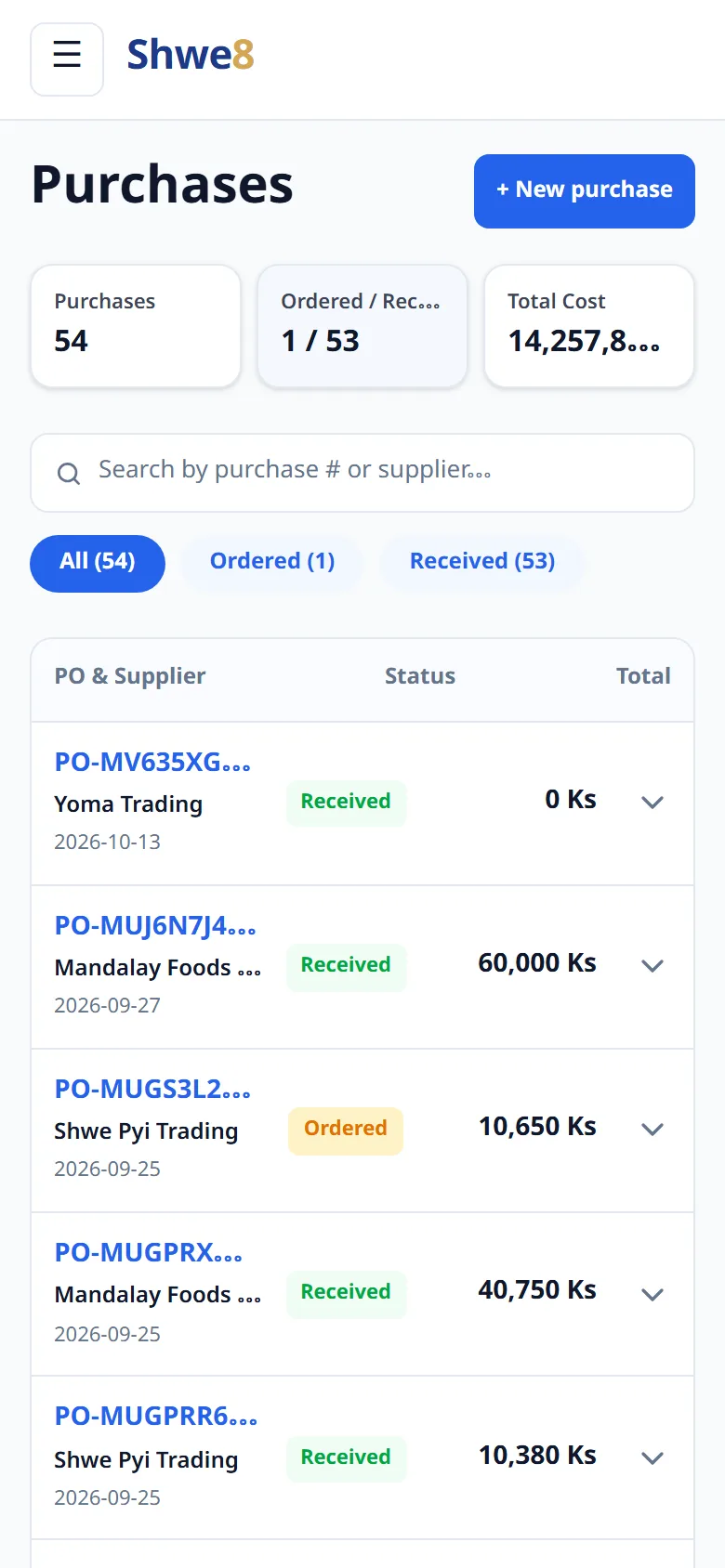
Order from the low-stock list
Start with what is running low or out. That list is what you need to order, so you spend money on what sells.
Record the order
Write down the supplier, the items, the quantities and the agreed prices. A written order is easy to check later, and the supplier’s record and yours can be compared.
Receive the delivery
- Check the items and quantities against the order.
- Note anything missing, damaged or different.
- Record what you actually received, so your stock goes up by the real amount.
Keep your costs right
Update the cost price when it changes. Correct costs are what make your profit figures believable.
In Shwe8
Create purchase orders for your suppliers, receive stock when it arrives and keep a record of every purchase. Received stock updates your quantities automatically.
Common questions
Why record orders at all?
It lets you check deliveries, prevents double orders and gives you a history of what you paid each supplier.
What if the delivery is short?
Receive only what arrived and note the difference, so your stock is right and you can follow up with the supplier.
Can I keep supplier details in the app?
Yes. Suppliers can be stored with their details so you can choose them when you create an order.
Run your shop from your phone
Shwe8 is a cloud point-of-sale and inventory service for grocery and household shops. Pick a plan and set up your shop in a few minutes.