How to track stock in a small shop
Running out of a popular item loses sales, and too much of a slow item ties up your cash. Tracking stock does not need a big system: you need a list of your items, a count that goes down when you sell, and a quick way to see what is low.
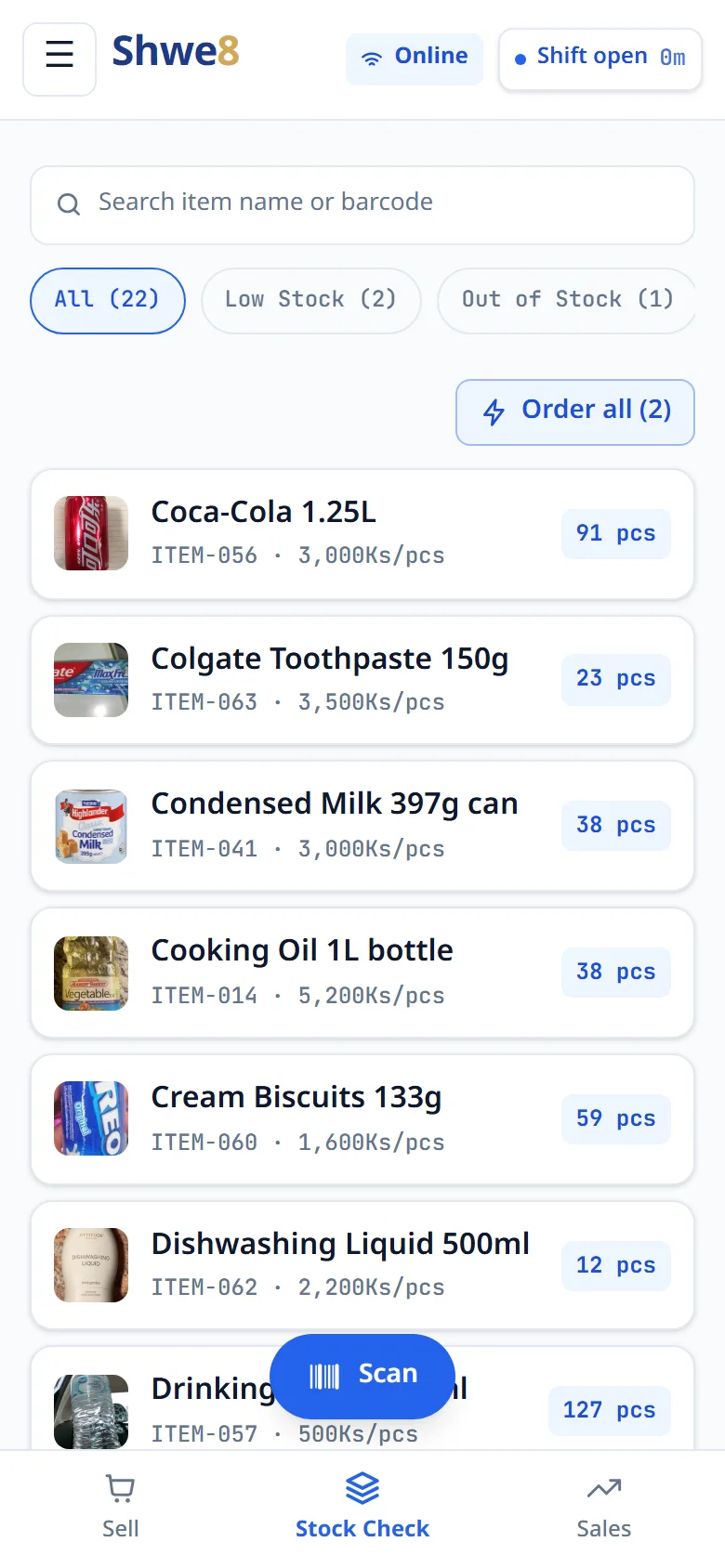
Step 1: list your items once
Add each product with its name, price and starting quantity. A barcode helps, because you can scan it later instead of searching.
Step 2: let each sale reduce the count
When stock is tied to the till, every sale takes one off the count automatically. You do not need to write anything down, and the number stays right even on a busy day.
Step 3: check low and out-of-stock items
Once a day, open the stock list and filter by Low stock and Out of stock. That short list is your shopping list for the next supplier order.
Step 4: count the shelf now and then
Counts drift: breakage, theft, a sale rung up wrongly. A regular stock count (a stocktake) compares what the system says with what is on the shelf, so you can correct the difference.
In Shwe8
The Stock Check screen lists every item with its quantity and lets you filter All, Low stock and Out of stock. Sales reduce the quantity automatically, and received purchase orders and stock counts update it too.
Common questions
How often should I count my stock?
Check the low-stock list every day or two. A full shelf count every month or every quarter is a good habit for most small shops, and you can count a few fast-moving items more often.
What does low stock mean?
It is a level you choose per item. When the quantity falls to or below it, the item shows in the Low stock list so you can reorder in time.
Can I see stock on my phone?
Yes. Shwe8 works in the phone browser, so the owner can check stock from anywhere with an internet connection.
Run your shop from your phone
Shwe8 is a cloud point-of-sale and inventory service for grocery and household shops. Pick a plan and set up your shop in a few minutes.