What is a POS system, and does a small shop need one?
A POS (point of sale) system is the software you use at the counter to ring up sales. A good one also keeps your stock count up to date and shows you how the shop is really doing, so you are not guessing from a notebook.
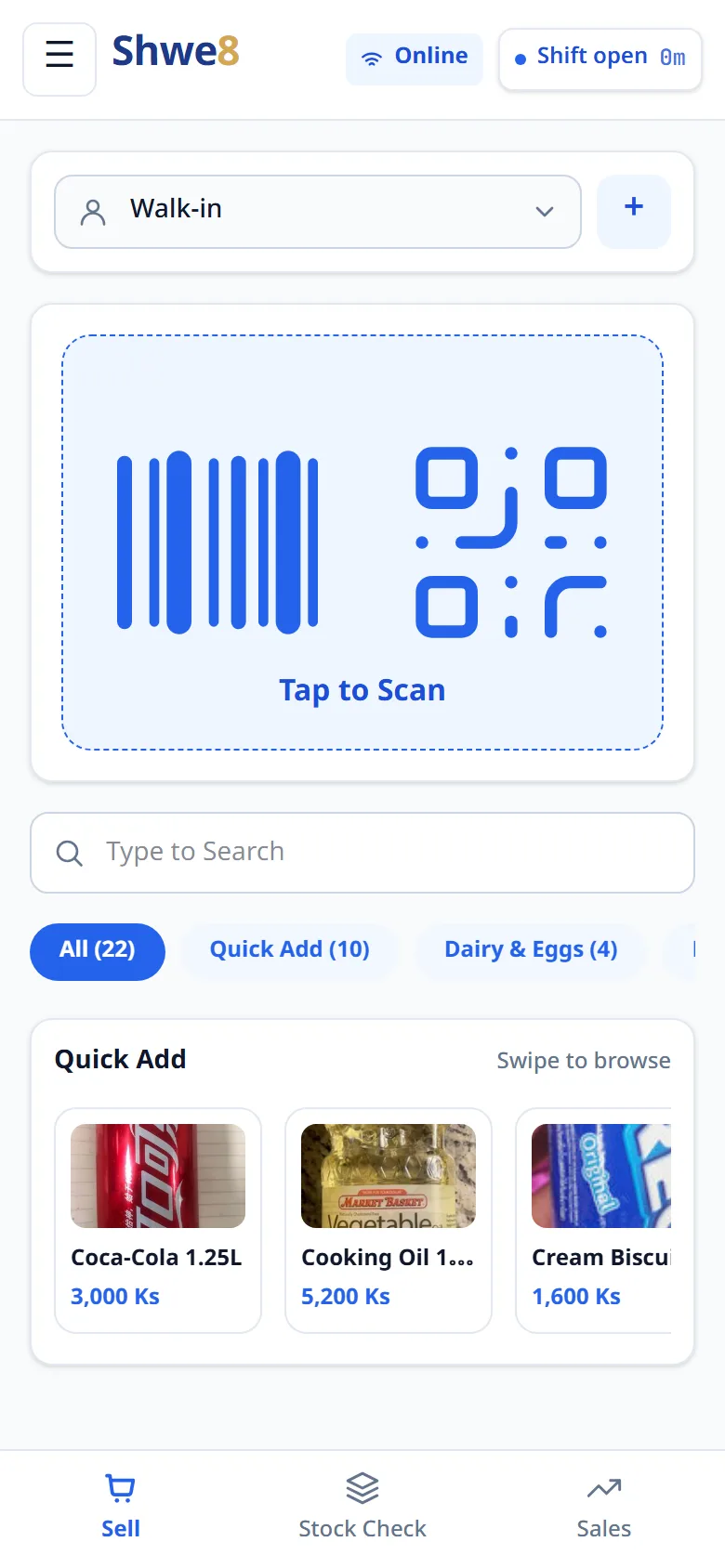
What a POS does at the counter
You pick the items (or scan their barcode), take the payment, and hand over a receipt. The sale is saved the moment you finish, with the time, the items and who served the customer.
What it does behind the counter
- Stock goes down automatically after each sale, so you can see what is running low.
- Every cashier signs in with their own PIN, so each sale is linked to a person.
- At the end of the day, the cash you should have is already worked out, so counting the drawer is quick.
- Reports show sales and profit by week, by month and by category, with your best sellers.
Is it worth it for a small shop?
If you sell a few items a day and know every price by heart, a notebook can be enough. A POS starts to pay off when you have more than one person at the counter, more than a few dozen products, or when you cannot tell at a glance which items make you money and which are about to run out.
What to check before you choose one
- Does it work on the phone you already have?
- Is it available in your language?
- Does it need an internet connection? (Shwe8 does: it is an online service.)
- Are the prices clear, with no setup fee surprises?
Common questions
Do I need special hardware?
No. Shwe8 runs in a web browser on a phone, tablet or computer. A barcode scanner or receipt printer is optional; the phone camera can scan barcodes.
Does a POS work without internet?
Shwe8 is an online service, so it needs an internet connection while you use it.
Can my staff use it too?
Yes. You add each cashier with their own PIN and choose what they are allowed to do.
Run your shop from your phone
Shwe8 is a cloud point-of-sale and inventory service for grocery and household shops. Pick a plan and set up your shop in a few minutes.