Staff PIN login: give each cashier their own access
If everyone shares one login, you cannot tell who made a sale or a mistake. Giving each cashier their own PIN is a simple fix that also keeps the owner’s account private.
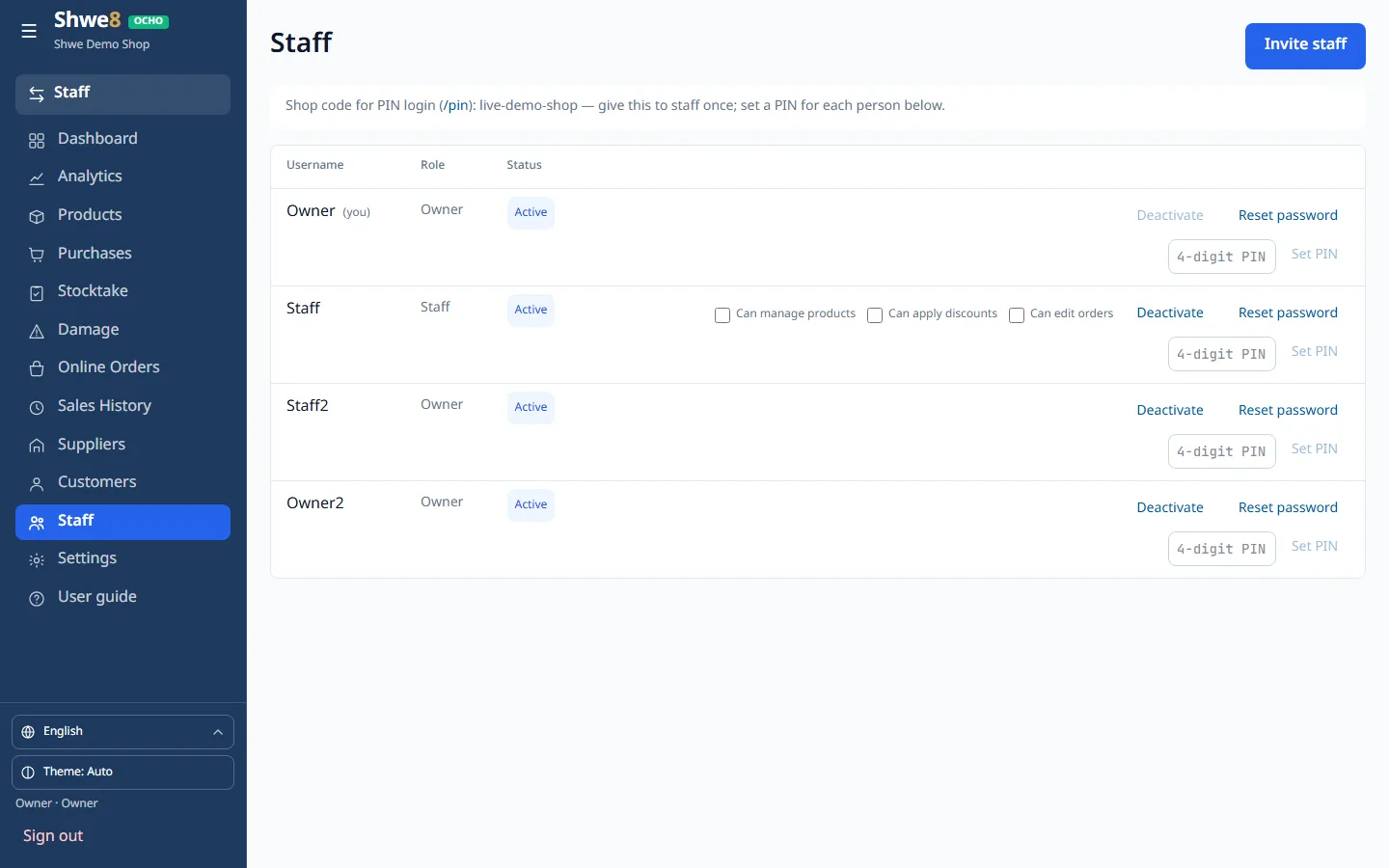
How a cashier signs in
- Open the app and enter the shop code.
- Pick their name.
- Enter their own 4-digit PIN.
Choose what each person can do
The owner decides the permissions. A cashier might only sell and check stock, while a manager can also see reports. Sensitive screens, like profit, stay with the owner.
Every sale has a name on it
Sales history shows who made each sale, so a cashier looks at the receipts from their own shift, and you can see the sales of each person.
When someone leaves
Switch their access off from the owner account. The other staff are not affected, and the old sales stay in the records.
Common questions
How many staff can I add?
It depends on your plan. The limits are shown on the Pricing page.
What if a cashier forgets their PIN?
The owner can set a new PIN for them.
Can a cashier see my profit?
Only if you give them that permission. By default, reports stay with the owner.
Run your shop from your phone
Shwe8 is a cloud point-of-sale and inventory service for grocery and household shops. Pick a plan and set up your shop in a few minutes.